Beoremote One + Sonos
Use your Bang & Olufsen remote to control your Sonos system, playback, volume, rooms, and favourites.
Bang & Olufsen never designed the Beoremote One to talk to Sonos, and there is no official integration between the two. With a bridge in the middle, the Beoremote One can drive Sonos playback, volume, grouping, and favourites. This guide covers three ways to set that up.
There is no official B&O to Sonos link
Bang & Olufsen and Sonos are separate ecosystems, and neither exposes the other. So every method below works the same way: something pairs with the Beoremote One, listens for its button presses, and sends the matching command to your Sonos speakers over the local network. The options differ in how much you build yourself.
Option 1: Via Home Assistant
Home Assistant has a mature, local official Sonos integration that covers playback, volume, grouping, favourites, and text-to-speech, all without the cloud. If you already run Home Assistant, the plan is: get the Beoremote One's buttons into Home Assistant first (see our Beoremote One + Home Assistant guide), then map those button events to Sonos actions. It is a great route if you have the pieces, but it does need a Home Assistant server plus a way to get the remote into it.
Option 2: Roll your own over Bluetooth
Sonos speakers accept control on your local network, so a small always-on computer such as a Raspberry Pi can pair with the Beoremote One and talk to Sonos directly, no Home Assistant required. This is the most flexible route. The trade-off is that you handle the Bluetooth pairing, write the Sonos control logic, and keep the service running and updated.
Option 3: A plug-and-play bridge (Lydbro One)
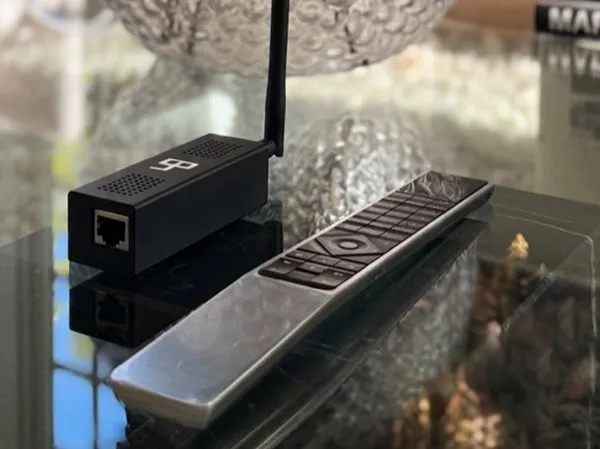
If you would rather not build anything, Lydbro One controls Sonos directly, with no Home Assistant or extra computer involved. It pairs with the Beoremote One over Bluetooth and speaks to your Sonos system on the local network, so the remote's transport, volume, and source buttons control Sonos directly. You can also choose what appears on the remote's display, from Sonos room names to favourites and playlists. It is configured from a built-in web UI, runs entirely locally, and updates over the air.
What you can control
- Play, pause, and skip tracks
- Volume and mute
- Switch between rooms and zones
- Group and ungroup speakers
- Start favourites and playlists
- Via Home Assistant, trigger any automation alongside the music
Which option is right for you?
- You already run Home Assistant with Sonos: route the remote through HA.
- You enjoy building with a Raspberry Pi: roll your own bridge.
- You want it to just work, with no server to maintain: Lydbro One.
References & further reading
- Sonos integration (Home Assistant docs)
- Beoremote One + Home Assistant guide
Related guides
Beoremote One + Home Assistant
Beoremote One + Bluesound (BluOS)
Beoremote One + Samsung TV
Beoremote One + LG TV
We are an independent company and are not affiliated with, endorsed by, or connected to Bang & Olufsen or Sonos. All product names, trademarks, and registered trademarks are the property of their respective owners.